How to choose a WhatsApp API provider
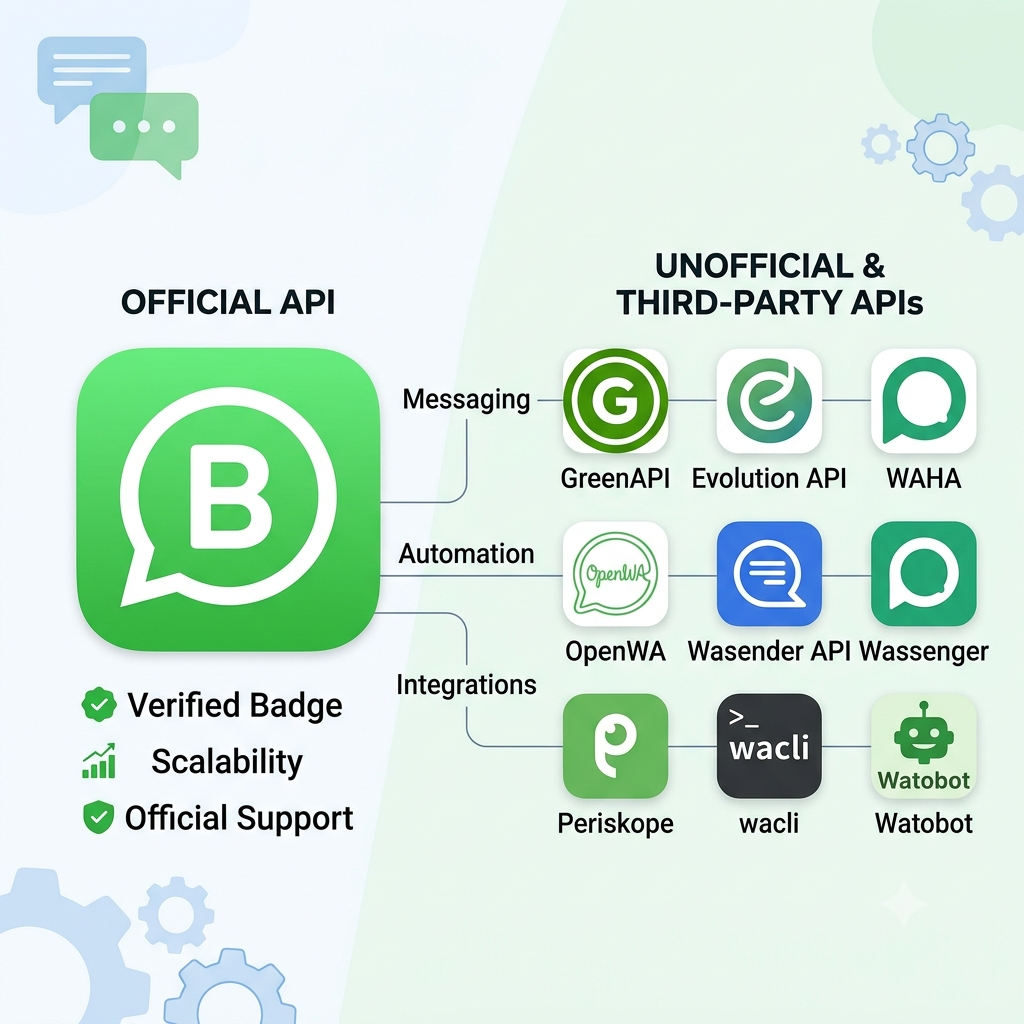
There are official and unofficial ways to automate WhatsApp, and within "unofficial" there's a real spread — self-hosted libraries, managed cloud APIs, personal CLI tools, and full team-inbox products. Nobody wins on every dimension. Here's what each factor actually means and why it should change your decision.
1. Connection type — official vs. unofficial
This is the root cause of almost every other difference on this page. The official WhatsApp Business API (Meta's Cloud API) connects through Meta's own approved infrastructure — no ban risk, but business verification, template approval, and per-message billing. Unofficial tools connect through WhatsApp Web's own protocol, the same mechanism WhatsApp Web itself uses in a browser — instant setup, freeform messaging, no per-message cost, but no official backing, which means WhatsApp's own automated systems can in theory detect and restrict an account behaving unusually.
2 & 3. Send vs. read incoming messages
Almost every provider on this page can send. Fewer people notice that "send" and "read incoming messages" are separate capabilities you should check independently. If you're building a chatbot, a support tool, or anything that needs to react to what someone replies, you need read/webhook support — a send-only tool (like Watobot) simply cannot do this, no matter how good it is at sending.
4. Group messaging support
Every unofficial WhatsApp-Web-based tool can generally send to groups, since it's a capability of the underlying protocol. The official Cloud API cannot send to WhatsApp groups at all — a platform limitation, not something any official-API provider can route around. If group messaging matters to you, this alone rules out the official API entirely.
5. Pricing model & real limits
"Free" means different things everywhere on this page: free software you still have to host, a free tier capped at a handful of chats, a free trial that becomes paid, or genuinely free with no published cap. Read the actual number, not just the word "free."
6 & 7. Self-hostable, and who carries the maintenance burden
Self-hosting gives you control and no subscription — but it also means you're the one who patches things when WhatsApp changes its Web protocol and breaks connectivity, which happens periodically to every unofficial tool. A managed/hosted provider absorbs that work for you, at the cost of being dependent on them staying maintained.
8. Ban risk
Every unofficial tool connects the same way WhatsApp Web itself does — which means WhatsApp sees whatever IP address the connection is coming from as your "device." For a self-hosted setup, that's your own server's IP: not your phone's, so still somewhat unusual-looking to WhatsApp, but at least not shared with anyone else. For a multi-tenant hosted provider, it's worse — WhatsApp can see many different customers' sessions all originating from the very same handful of server IPs, a pattern that looks considerably more suspicious than one server per account. The official API has no equivalent risk at all — a completely different mechanism, so this category doesn't apply to it. What actually matters here is whether a provider does anything about it, like routing each account through its own distinct residential-feeling IP instead of a shared datacenter one.
9. Credential steal risk
Your WhatsApp session is effectively a live login to your account. If a provider stores that server-side in a way that lets even them read it, a breach of their infrastructure is a breach of your WhatsApp account. Ask specifically: is it encrypted in a way only you can unlock, or can the provider itself access it? Self-hosting removes the third party from this question entirely — but then your own server's security is the whole story. Where a provider doesn't publicly document how this is handled, the safe assumption is the worst case, not the best one.
10. Data privacy
Separate from credential theft: in normal, non-breach operation, who else gets to see the phone numbers you're messaging and the content of what you send? Route your messages through a commercial 3rd-party API provider, and that company's servers see your recipients' numbers and message content as a matter of normal operation, breach or not. Self-hosting removes that 3rd party, but a breach of your own server still exposes whatever it's storing. Going through Meta's official API doesn't introduce a new party beyond Meta itself — WhatsApp's own platform already sees all traffic regardless of which path you take.
11. Setup friction
Unofficial tools are generally a QR scan away from working. The official API means real business verification with Meta, which can take weeks — a genuine cost if you need to be sending messages soon.
12. Message freedom
Unofficial tools let you send any freeform text, anytime. The official API restricts you to pre-approved templates for anything you initiate outside a 24-hour window after the customer last messaged you — a real constraint on how you can actually use it.
13. Team inbox / chat UI
Some providers are really full products for running a support/sales team off one number — a shared inbox, multiple seats, conversation assignment. Others are pure APIs with no UI at all — you're expected to build your own interface, or you don't need one because you're only sending, not managing ongoing conversations.
14. Open source
Being able to read the actual code — including how encryption and credential handling work — is the difference between trusting a provider's claims and verifying them yourself. Worth checking the specific license too, not just whether it's "open source" — some open-source licenses carry real usage restrictions.
15. Support model
Community-only (a Discord/GitHub you post in and hope for a reply), paid tiered support, or a small team you can actually reach directly — worth knowing which one you're signing up for before something breaks in production.
WhatsApp API providers compared
Scroll sideways for the specific column you care about. Full explanation of every column is in our guide to choosing a WhatsApp API provider.
| Provider | Connection type | Send messages | Read incoming messages | Group messaging | Pricing & real limits | Self-hostable / Open source | Maintenance burden | Ban risk | Credential steal risk | Data privacy | Setup friction | Message freedom | Team inbox / Chat UI | Support model |
|---|---|---|---|---|---|---|---|---|---|---|---|---|---|---|
| GreenAPI Score: 42/70 |
Unofficial | Yes | Yes | Yes | Free tier capped at 3 chats; unlimited ~$8/mo | No | On provider | Very high — shared multi-tenant server IPs | High — server owner or attacker can steal | Low — phone numbers readable by server | Low — QR scan | Freeform, anytime | No — API only | Official |
| WAHA Score: 42/70 |
Unofficial | Yes | Yes | Yes | Software free; you pay for hosting (~$2–5/mo) | Yes | On you | High | Medium — attacker can steal | Medium — attacker can access phone numbers | Medium — deploy, then QR scan | Freeform, anytime | No — API only | Community |
| Evolution API Score: 40/70 |
Unofficial | Yes | Yes | Yes | Software free; needs Postgres + Redis hosting | Yes | On you | High | Medium — attacker can steal | Medium — attacker can access phone numbers | Medium-high — more infra than WAHA | Freeform, anytime | No — API only | Community |
| OpenWA Score: 42/70 |
Unofficial | Yes | Yes | Yes | Software free; you pay for hosting | Yes | On you | High | Medium — attacker can steal | Medium — attacker can access phone numbers | Medium — deploy, then QR scan | Freeform, anytime | No — library/API only | Community |
| WaSender API Score: 40/70 |
Unofficial | Yes | Not publicly confirmed | Not publicly confirmed | Paid only, from $6/mo flat; 3-day trial, no free tier | No | On provider | Very high — shared multi-tenant server IPs | High — server owner or attacker can steal | Low — phone numbers readable by server | Low — cloud onboarding | Freeform, anytime | Not publicly confirmed | Official |
| Wassenger Score: 46/70 |
Official | Yes | Yes | No — official API can't message groups | Paid, from €39.90/mo + Meta per-message fees; 7-day trial | No | On provider | Low | Low — handled by an official Meta partner | Low — phone numbers readable by server | High — real Meta business verification required | Template-gated outside 24h reply window | Yes — full inbox product | Official |
| Periskope Score: 44/70 |
Unofficial | Yes | Yes | Yes — unlimited, explicitly marketed | Paid, from $20/seat/mo; 7-day trial, no free tier | No | On provider | Very high — shared multi-tenant server IPs | High — server owner or attacker can steal | Low — phone numbers readable by server | Low — QR scan | Freeform, anytime | Yes — seat-based, full inbox product | Official |
| wacli Score: 44/70 |
Unofficial | Yes | Yes — core feature | Not publicly confirmed | Free, open source; runs on your own machine | Yes | On you | High | Medium — attacker can steal | Medium — attacker can access phone numbers | Medium — a dev tool, not a hosted business setup | Freeform, anytime | No team inbox — has a personal terminal UI, not a business one | Community |
| Official WhatsApp Business API Score: 49/65 |
Official | Yes — template-gated | Yes | No — platform limitation, no groups at all | Access free; billed per message beyond free service replies — cheapest option since there's no BSP markup at all | No | On provider | Low | Low — handled by Meta / your BSP | High — only Meta itself sees your data, no extra 3rd party | High — business verification + template approval, can take weeks | Template-gated outside 24h reply window | Raw API has none — depends entirely on which BSP frontend you pick | Official |
| Twilio Score: 44/70 |
Official | Yes — template-gated | Yes | No — platform limitation, no groups at all | Meta's per-message rate + ~$0.005–0.01/msg Twilio markup; free trial only, no lasting free tier | No | On provider | Low | Low — handled by an established BSP | Low — phone numbers readable by server | High — real Meta business verification required | Template-gated outside 24h reply window | No — raw API, build your own | Official |
| MSG91 Score: 48/70 |
Official | Yes — template-gated | Yes | No — platform limitation, no groups at all | ~$6/mo per number (waived first 2 months) + Meta's rate, no markup | No | On provider | Low | Low — handled by an established BSP | Low — phone numbers readable by server | High — real Meta business verification required | Template-gated outside 24h reply window | Yes — built-in "Hello" inbox | Official |
| Gallabox Score: 46/70 |
Official | Yes — template-gated | Yes | No — platform limitation, no groups at all | ~₹2,399/mo (~$29) on annual billing + Meta's rate; free trial only | No | On provider | Low | Low — handled by an established BSP | Low — phone numbers readable by server | High — real Meta business verification required | Template-gated outside 24h reply window | Yes — shared team inbox + chatbots | Official |
| Watobot Score: 56/70 |
Unofficial | Yes | No — send-only | Yes | Free, hosted, no published cap | Yes | On provider | Medium — dedicated residential IP close to your location | Low — zero-knowledge encryption | High — zero-knowledge encryption | Low — QR scan | Freeform, anytime | No — API + scheduling only | Founder Support |
Each provider's score is a literal sum of its row's colored cells — green contributes 5, orange contributes 3, red contributes 1 — out of 5 times the number of colored columns for that row. You can verify any score yourself by counting the colors in that row.
"Not publicly documented"/"not publicly confirmed" means we could not confirm this from the provider's own public materials at the time of writing — not that the capability doesn't exist. If you work at one of these companies and want to correct a row, .
Also worth knowing about, but not included in the table above: 360dialog, Gupshup, Infobip, Kaleyra, and Bird (formerly MessageBird) are all real, established WhatsApp Business Solution Providers. We left them out of this comparison because none of them publish transparent, self-serve pricing on their own websites — quotes are handled through sales, so there's no public number we can verify or compare against the providers above. If that changes, or you have direct experience with their actual pricing, and we'll add them.
So which one should you actually use?
Depends entirely on what you need. Here's a straight answer for the most common cases.
Building a chatbot
For one that only replies to inbound messages (never initiates), the official WhatsApp Business API, direct with Meta, is actually the strongest pick: replies within the 24-hour customer-care window are unlimited and free, so zero cost and zero ban risk, with full freeform messaging. Going through a partner adds inbox/tooling convenience, not extra capability — MSG91 is the top-rated pick if you want that. Want it fully self-hosted and free, or can't go through business verification? WAHA or OpenWA rate the same here; pick whichever's license terms you're more comfortable with. The only reason to reach for an unofficial hosted tool like Periskope here is if you need to prototype before/without business verification, or your bot also needs to proactively re-engage someone after 24 hours of silence — otherwise it adds cost and ban risk with nothing to show for it.
Shared inbox / CRM for a support or sales team
MSG91 is the strongest-rated pick here — official backing, low ban/credential risk, real team inbox, and cheaper than the alternatives. Want lower cost still, and are OK trading away official backing and some privacy for it? Periskope is the unofficial, cheaper alternative. Please note, this is a category by itself & there are several providers that just provide inbox/CRM support without exposing APIs. Those providers are not mentioned here. Prominent among them are AiSensy, Wati & Interakt
Messaging pre-created groups
Only need to send into the group, never read replies? Watobot covers this, free. Need to read group messages too? Periskope is the strongest-rated option that supports it. Want low cost and high privacy instead, and don't mind self-hosting? WAHA or OpenWA.
You need the official green checkmark
Only one real option: the official WhatsApp Business API, direct with Meta (the cheapest baseline — every BSP adds something on top), or through a partner like MSG91, the top-rated option, for the added inbox/tooling convenience.
Sending more than ~250 messages a day
That's real business volume — go with the official WhatsApp Business API, direct with Meta for the lowest cost at real volume (no BSP markup or subscription at all), or through MSG91, the top-rated and cheapest BSP option, if you want added tooling. Whatsapp has documented that they allow less than 250 messages on unverified business account, which means that Whatsapp treat that kind of volume as personal usage limit. Unofficial tools, Watobot included, are built for such volumes; pushing serious daily volume through an unofficial connection raises your ban risk significantly.
No API — just sending/reading from the command line
wacli is built exactly for this — a personal terminal tool, not a hosted API.
Only sending messages, and cost or privacy matters
This is what Watobot is built for. Free, hosted, no message cap we've published, zero-knowledge encrypted, with per-account IP-based ban mitigation. If your need matches this description, it's a genuinely good fit — outside of it, one of the options above will serve you better.
This article is AI-generated but reviewed by a person (Ashish, Watobot's creator). If you find any issues, or would like some data corrected, use the in the footer to get in touch with him directly.